Why LaTeX?
Write with the familiarity of Word and bring your manuscript to publication with LaTeX typesetting.
On this page
Have Your Cake and Eat It Too: Writing and Publishing
MoonlitFlow combines the familiar ease of writing in Word or Google Docs with the professional finish of LaTeX typesetting. Our AI-assisted visual editor lets you write freely and see your changes on the page as you work. You decide what to say and how to say it. MoonlitFlow handles the technical work of formatting your manuscript for publication.
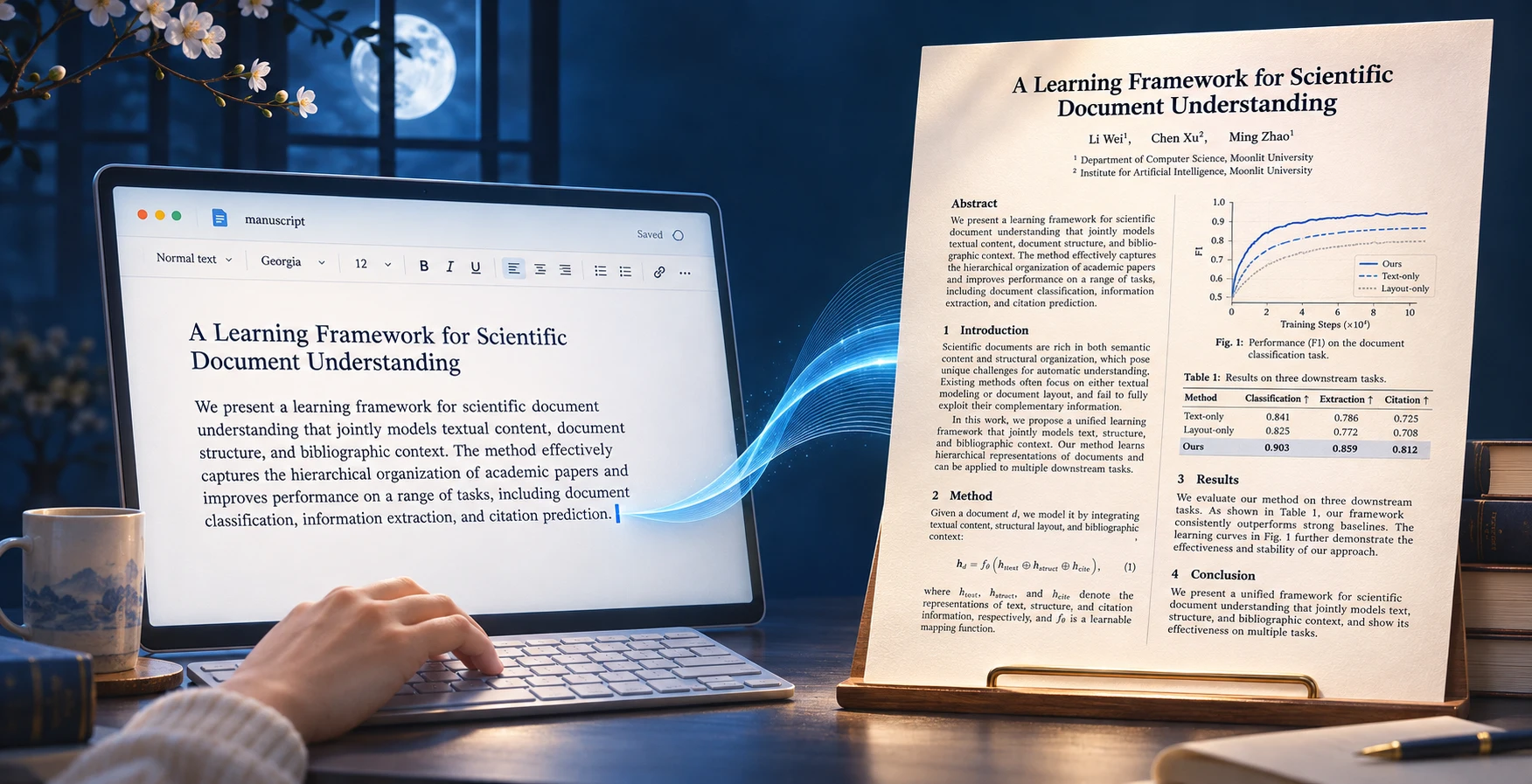
Authors write. Publishers typeset.
Authors develop ideas, build arguments, and tell the story of their research. Publishers define the house style and use LaTeX templates to apply it consistently across manuscripts. When the layout changes, the author’s words, figures, and equations can stay in place in the source.

The freedom of Word, the typesetting of LaTeX
LaTeX commands and environments can be a barrier when you are getting started. MoonlitFlow’s AI-assisted visual editor lets you write and revise in a familiar, Word-like workspace. Edit paragraphs, tables, and captions directly while your LaTeX template handles the page layout, numbering, and formatting.
Consistent academic formatting
A document class and template keep headings, equations, captions, and references consistent. Changing a template can update formatting across the document without editing every paragraph.
LaTeX source → formatted document
\section{Introduction}
A clear opening paragraph.

\begin{equation}
  E = mc^2
\end{equation}A clear opening paragraph.
Small illustrative example
Equations, citations, and long manuscripts
LaTeX is useful when a paper has many equations, cross-references, or bibliography entries. Labels and citation keys let you reorganize sections without manually renumbering everything.
Labels stay connected as the document grows
Choose the workflow that suits you
Word and Google Docs remain useful for familiar drafting and discussion. LaTeX adds a source-and-compile workflow and may need debugging. You can finish your draft in Word, then import it into a template and review the result.